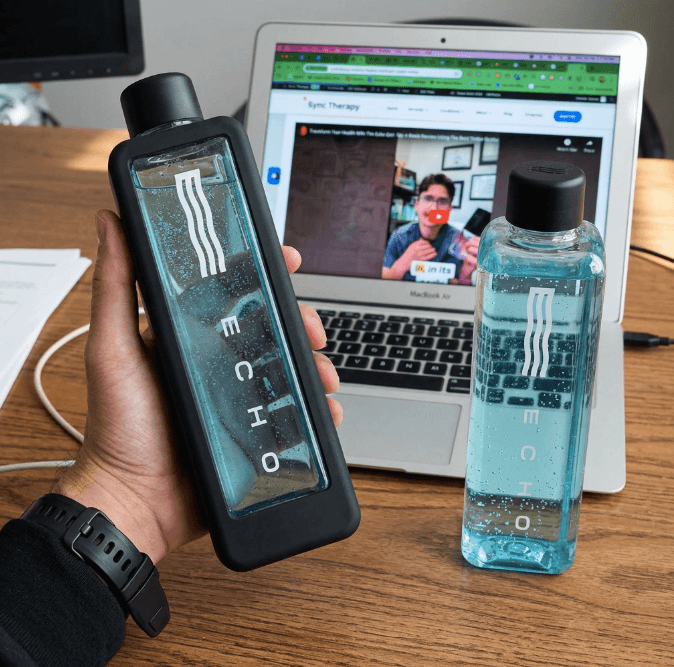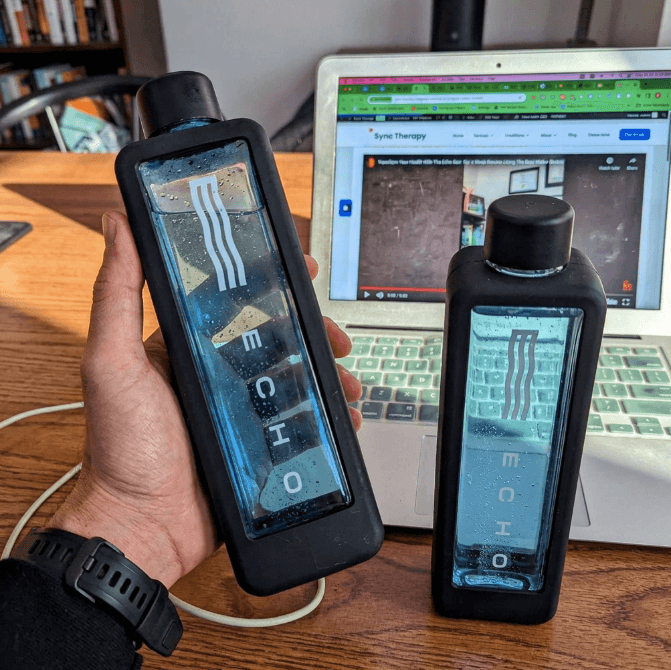
I am Daryl Stubbs, a licensed Registered Massage Therapist (RMT) and clinical researcher. In my clinical practice, patients frequently ask me about echo flask troubleshooting when their hydrogen water generator stops performing optimally. Molecular hydrogen is a powerful tool for cellular recovery, but only if your device actually works. I recommend the Echo Flask to my patients for its robust antioxidant output. However, user errors and maintenance gaps can interrupt that output. Let's fix your device so you can get back to your rehabilitation protocols.
Molecular hydrogen (H2) neutralizes harmful free radicals without disrupting beneficial cellular signaling. My patients rely on this selective antioxidant to manage inflammation and accelerate recovery from soft tissue injuries. When evaluating this device in my clinic, I noticed that consistent access to high-quality hydrogen water translates directly to better clinical outcomes.
If your Flask isn't working, you are missing out on these daily physiological benefits. Proactive maintenance is non-negotiable.

Echo Flask Not Producing Hydrogen (No Bubbles)
This is the most common complaint I hear from patients. If you don't see the fine stream of bubbles during a cycle, your device isn't generating hydrogen.
- Check battery level: Electrolysis requires a massive power draw. A low battery prevents the SPE/PEM membrane from separating hydrogen and oxygen. Charge it fully before use.
- Use filtered water: Hard tap water destroys the delicate platinum-coated titanium electrodes. Minerals coat the plates and block hydrogen production. Always use filtered or distilled water.
- Descale the electrodes: Mineral buildup is the enemy of electrolysis. I instruct my patients to run a monthly vinegar descaling cycle. Mix 1/3 white vinegar with 2/3 warm distilled water, run a cycle, and follow with the Clean Flask setting.
- Check the gasket: The cap must seal perfectly to maintain internal pressure. Ensure the gray gasket sits with the line side facing inward.
If these steps fail, you likely have a hardware failure. Contact Echo Water support to utilize their 5-year warranty.

Echo Flask Not Turning On
A dead device halts your hydration protocol instantly. Try these clinical fixes before panicking.
- Charge the battery: Connect the USB-C cable to a wall adapter. Leave it for 30 minutes before attempting to power it on.
- Swap cables: Faulty charging accessories cause half the power issues I see. Test a known-working USB-C cable and adapter.
- Hard reset: Software glitches happen. Hold the power button for 10 seconds to force a reset.
- Inspect the port: Look for bent pins or debris in the USB-C port. Physical damage here requires a warranty claim.
Echo Flask Leaking
Leaking compromises the pressure needed for optimal hydrogen saturation. Fix this immediately to protect the electronics.
- Check the gasket: Remove the cap and inspect the gray gasket for tears. Clean the threads and ensure the gasket is seated correctly.
- Don't overfill: The electrolysis process requires a small air gap at the top of the bottle. Leave 1-2 inches of space to prevent pressure leaks.
- Inspect for cracks: Examine the Tritan body for hairline fractures.
- Replace the gasket: Gaskets lose elasticity over time. Contact Echo Water for a replacement if yours looks worn.
Echo Flask Not Charging
If the battery won't accept a charge, your device is useless. Follow these steps to isolate the problem.
- Try a different USB-C cable: Internal cable damage is invisible but common.
- Change the power source: Laptop USB ports often lack the amperage needed. Use a dedicated wall adapter.
- Clean the port: Use a dry, soft toothbrush to clear lint from the charging port.
- Let it dry: Moisture in the port triggers safety shutoffs. Let the Flask air dry for several hours if it got wet during cleaning.
Warning: Never charge the Echo Flask if the charging port is wet. This can damage the electronics and may void your warranty.
Red Light Issues
A red indicator light means the device's internal sensors detected a fault.
- Low battery: A full charge usually clears this warning.
- Device error: If the red light stays on after charging, hold the power button for 10 seconds to restart the system.
- Hardware issue: A persistent red light after a hard reset indicates internal failure. You will need to file a warranty claim.
App Not Connecting
The app is optional. I tell my patients to focus on drinking the water, not staring at their phones. If you want to use it, try these steps.
- Enable Bluetooth on your smartphone.
- Keep the powered-on Flask within 3 feet of your device.
- Update the Echo Flask app to the latest version.
- Unpair and re-pair the device in your Bluetooth settings.
- Restart both your phone and the Flask.
Note: The Echo Flask works fully without the app. All core features are accessible from the touchscreen. The app is optional for tracking and integrations, so don't let connectivity issues deter you from enjoying your hydrogen water.
Key Specifications
For those interested in the technical details, here is a quick overview of the Echo Flask's clinical specifications:
| Feature | Specification |
|---|---|
| H2 Concentration | Up to 3.0 PPM (Parts Per Million) |
| ORP (Oxidation-Reduction Potential) | -400mV to -750mV |
| Water Capacity | 10 oz (300 ml) |
| Hydrogen Cycle Time | 3 or 5 minutes |
| Electrolysis Technology | SPE/PEM (Solid Polymer Electrolyte/Proton Exchange Membrane) |
| Electrode Material | Platinum-coated Titanium |
| Battery Life | Up to 15-20 cycles per charge |
| Charging Time | Approx. 2-3 hours (USB-C) |
| Materials | Food-grade Tritan, Stainless Steel |
| Warranty | 5-Year Limited Warranty |
Pros & Cons of the Echo Flask
Here is my clinical assessment of the Echo Flask after months of patient feedback and hands-on evaluation.
Pros:
- High H2 Concentration: Hits up to 3.0 PPM. This is the therapeutic threshold I look for to reduce oxidative stress.
- Advanced SPE/PEM Technology: Separates harmful chlorine and ozone byproducts. Cheap devices fail to do this.
- Durable Construction: Food-grade Tritan and stainless steel survive daily gym use.
- Portable Design: Fits in a cup holder for continuous hydration during rehabilitation sessions.
- Comprehensive Warranty: The 5-year warranty protects your investment.
- Tangible Benefits: Patients report faster recovery times and reduced systemic inflammation.
Cons:
- Requires Maintenance: You must descale the electrodes monthly. There is no way around this.
- Filtered Water Recommended: Tap water destroys the membrane. You must source filtered or distilled water.
- Initial Investment: Premium medical-grade technology costs more upfront.
- Potential for User Error: You have to follow the manual to get the clinical benefits.
When to Contact Echo Water Support
Sometimes troubleshooting isn't enough. Know when to call the manufacturer for a replacement.
Contact support if the Flask fails to produce bubbles after a thorough vinegar descaling. Reach out if a red light persists after a hard reset and full charge. Call them if the touchscreen becomes completely unresponsive. Keep your receipt handy to utilize the 5-year warranty.
More Echo Flask Guides
For a deeper look into the Echo Flask and its clinical applications, explore these resources:
- → Echo Flask Review — Full specs, pros, cons, and my comprehensive verdict.
- → Echo Flask Cleaning — Detailed instructions for proper cleaning and descaling to prevent issues.
- → Echo Flask Warranty — Understand what's covered and how to make a claim.
Elevate Your Hydration
The Echo Flask is a serious clinical tool for cellular support. Proper maintenance guarantees you get the molecular hydrogen you paid for. I confidently recommend this device in my private practice for patients serious about their recovery. Keep your electrodes clean, use filtered water, and your Flask will perform for years.
Related Clinical Resources
- Recommended Guide: Read my full, hands-on review of the best hydrogen water bottles for deeper clinical insights.
- Related Review: Check out my comparative analysis on the Echo Flask Vs Hydroh.